
Last Updated: October 28, 2026
Quick Summary
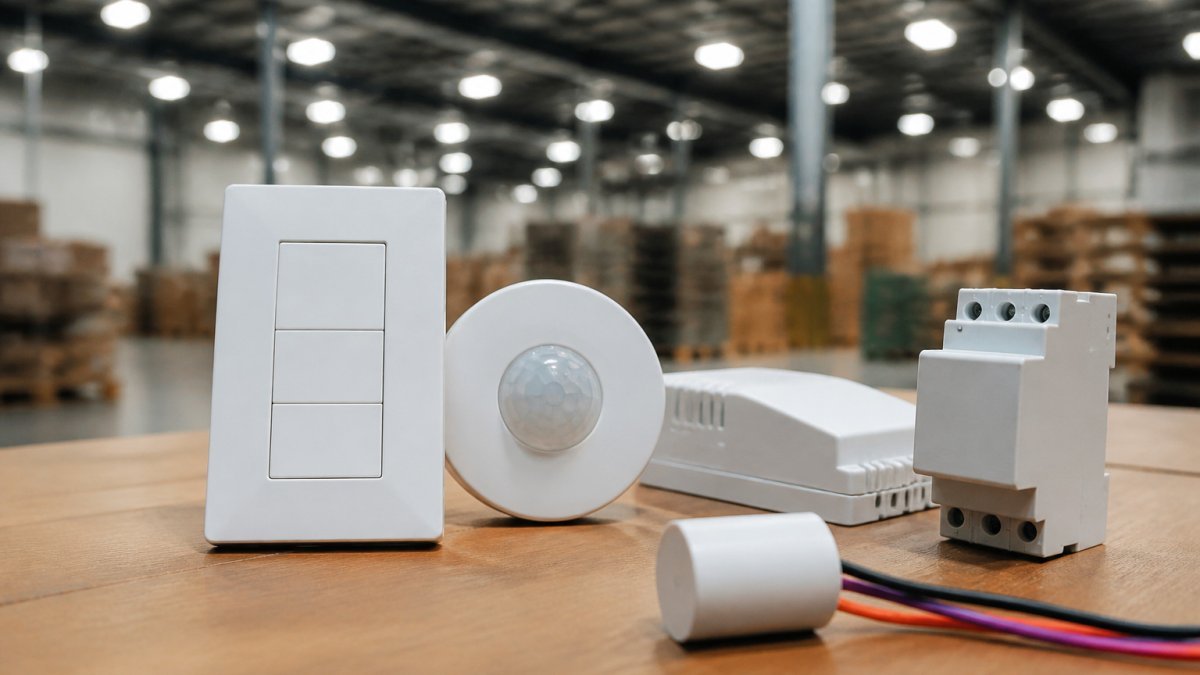
Smart lighting controls for warehouses are systems that adjust light output automatically based on occupancy, time of day, or daylight entering the building. They avoid running every fixture at full power around the clock, which is the core reason facility teams evaluate them.
- Controls only deliver graded savings if the fixtures use dimmable LED drivers.
- Occupancy sensors switch lights off in empty aisles and storage bays after a set timeout.
- Daylight harvesting dims nearby fixtures using photosensors, and works best near skylights and dock openings.
- Zoning by receiving, aisles, picking and packing lets each area run on its own schedule.
- Calibrate photosensors against measured light levels rather than factory defaults to avoid early or late dimming.
Table of Contents
- What Smart Lighting Controls Do in a Warehouse
- How Warehouse Occupancy Sensors Cut Idle Lighting Hours
- Daylight Harvesting for Warehouses: When Natural Light Does the Work
- Warehouse Lighting Control Zoning: Matching Light to Aisles and Tasks
- Warehouse Lighting Automation and Control System Selection
- Retrofit Planning, Commissioning, and Measuring ROI
- Booking a Free Property Assessment for Your Warehouse Lighting
- Frequently Asked Questions
What Smart Lighting Controls Do in a Warehouse
Smart lighting controls for warehouses are systems that adjust light output automatically based on occupancy, time of day, or the amount of daylight entering the building. Instead of running every fixture at full power around the clock, they dim, switch, or zone lighting to match what is actually happening on the floor. That shift, from always-on to responsive, is the core reason facility teams evaluate them.
At NexVolt Energy Group, we provide comprehensive property assessments.
Most warehouse controls combine three functions. Sensors detect presence, a controller applies schedules and rules, and dimmable LED drivers change output on command. Networked systems add remote monitoring and scheduling from a single interface, which matters for multi-building operators.
Watch out: controls installed on fixtures that are not dimmable will switch lights on and off but cannot deliver graded savings. Confirm driver compatibility before you buy. If you are ready to plan a retrofit, see how a warehouse LED lighting upgrade in New Jersey is scoped and installed.
How Warehouse Occupancy Sensors Cut Idle Lighting Hours
Occupancy sensors switch lighting on when someone enters a space and off after a set period with no motion. For a fuller look at the benefits in industrial spaces, see the occupancy sensor benefits guide. In a warehouse, aisles and storage bays are often empty for long stretches, so sensors can remove a large share of runtime that would otherwise be wasted.
The main decision is sensor type. Passive infrared (PIR) sensors detect body heat and suit spaces with fewer obstructions. Microwave sensors detect movement through a wider area and tend to suit high-bay zones with racking. Many facilities use a mix, matching each sensor to the aisle layout.
Timeout settings matter as much as the sensor. A timeout that is too short causes lights to cycle while workers pause, which frustrates staff and can shorten driver life. A timeout that is too long erodes the savings.
Daylight Harvesting for Warehouses: When Natural Light Does the Work
Daylight harvesting uses photosensors to measure natural light and dim the electric fixtures nearby to hold a target light level. This works best in warehouses with skylights, clerestory windows, or loading-dock openings where daylight reaches the floor for part of the day.
The approach depends on the building. Sites with large, consistent daylight gain near the perimeter tend to benefit most. Deep interior bays with no natural light gain little, so controls there should rely on occupancy and scheduling instead.
Calibration is the step teams most often skip. A photosensor placed in the wrong spot can dim lights too early or leave them too bright. Commissioning the sensors against measured light levels, rather than factory defaults, is what keeps the system working as designed.
Warehouse Lighting Control Zoning: Matching Light to Aisles and Tasks
Zoning divides a warehouse into groups of fixtures that respond together. A common layout separates receiving, aisles, picking areas, packing stations, and dock doors, with each zone on its own schedule and sensor logic.
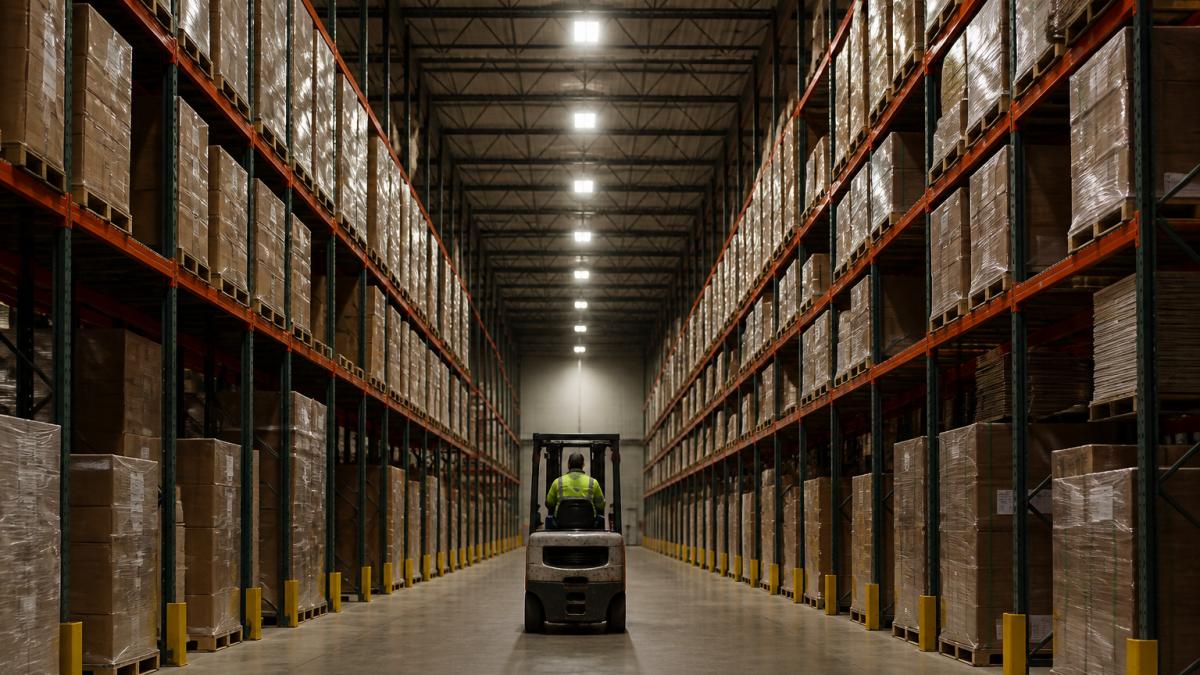
Task-based zoning is especially useful for order picking, where light needs are higher at the shelf face than in the broader aisle. Some facilities set the picking zones to a higher output during shifts and let the surrounding aisles run at a lower level until a forklift or worker enters.
Zoning also makes future changes easier. When operations shift, you can adjust one zone’s schedule without re-commissioning the whole building. Plan zones around how the floor actually runs, not around the original electrical circuit layout.
Warehouse Lighting Automation and Control System Selection
Most warehouse lighting articles stop at “wired is reliable, wireless is cheaper to install.” That is not enough to make a decision. The practical framework below compares the four control architectures you will actually be quoted, then covers the reliability and cybersecurity questions that separate a system that works on paper from one that works on the floor.
The four control architectures, compared
| Architecture | How it works | Best fit | Main trade-off |
|---|---|---|---|
| Standalone fixture controls | Sensor and driver built into each fixture; no network | Small warehouses, single-shift operations, tight budgets | No central monitoring; settings changed fixture by fixture |
| Wired networked | Low-voltage or power-line control wiring links fixtures to a central controller | Large, permanent facilities with stable layouts | Highest installation labor; conduit and pathway planning |
| Wireless mesh | Fixtures communicate over a self-healing radio mesh to a gateway | Retrofits where running new conduit is costly or disruptive | Depends on radio coverage; gateway placement matters |
| Hybrid | Wired backbone with wireless sensor or fixture nodes | Multi-zone buildings with some hard-to-wire areas | More integration testing during commissioning |
A selection framework by warehouse profile
Use these four questions to narrow the field before you take a single sales call:
- Size and zone count. Under roughly 50,000 square feet with a handful of zones, standalone controls often deliver most of the savings with the least complexity. Above that, or with more than about 10 independently controlled zones, a networked system usually pays for its coordination overhead.
- Layout volatility. If racking is reconfigured frequently, wireless nodes that can be re-addressed without rewiring are worth the radio-coverage risk. If the layout is fixed for years, wired reliability wins.
- Connectivity and IT involvement. Any system with a gateway, cloud dashboard, or building-management integration becomes an IT asset. Confirm early whether your IT team will allow it on the corporate network or require a separate VLAN.
- Maintenance model. Ask who replaces a failed sensor, how long replacement parts are stocked, and whether firmware updates are automatic or manual. A system your maintenance staff cannot service becomes a service contract.
Build a one-page requirements list before comparing quotes: zone count, sensor types per zone, required integrations (building management system, energy dashboard), data reporting needs, warranty length, and service response time. Score each vendor against the same list so the decision stays tied to operations rather than to the most polished presentation.
Reliability: what happens when the network goes down
Ask every vendor one question: what does the lighting do when communication fails? A well-designed system fails to a safe, usable state, typically a preset brightness level or full output on the local circuit, rather than leaving aisles dark. Confirm this behavior in writing, and test it during commissioning by disconnecting the gateway or controller and walking the floor.
Get a Free Property Assessment →
Also ask about:
- Local override. Can a worker or maintenance tech force a zone on at the fixture or wall station without the network?
- Firmware update policy. Who pushes updates, on what schedule, and can an update be rolled back?
- Single points of failure. If the gateway or head-end controller fails, do the individual zones keep running on their local schedules?
Cybersecurity and data privacy for connected controls
A connected lighting system is a network of small computers. Treat it like one:
- Access control. Require unique accounts per user, role-based permissions, and removal of default passwords before handover.
- Network separation. Put lighting controls on a dedicated VLAN or isolated network segment rather than the corporate LAN.
- Data minimization. Occupancy sensors can reveal shift patterns and aisle activity. Confirm what data leaves the building, where it is stored, and who can access it.
- Vendor security posture. Ask whether the vendor supports signed firmware, publishes security advisories, and has a documented incident-response process.
None of these steps is exotic, but each one is easier to require in the contract than to retrofit after installation. Put them in the specification, not the post-install punch list.
Retrofit Planning, Commissioning, and Measuring ROI
This is where most lighting projects succeed or quietly underdeliver. The sections below cover the retrofit sequence, sensor placement, a transparent ROI framework you can populate with your own figures, and the maintenance and verification steps that keep savings from eroding after year one.
Retrofit sequence that minimizes disruption
- Handover and documentation. Deliver as-built zone maps, sensor settings, timeout values, and a maintenance guide.
Sensor placement: the details that decide performance
- Mounting height and coverage. Match the sensor’s rated coverage pattern to the mounting height and aisle width. A sensor rated for a wide pattern at low mounting height will underperform in a 30-foot-high bay.
- Racking obstructions. High-bay racking blocks line of sight. In aisle applications, sensors are often mounted to detect movement along the aisle rather than across it.
- Separation from HVAC and daylight. Keep occupancy sensors away from air-handling vents and away from photosensors, so that air movement and daylight do not trigger false occupancy.
- Photosensor orientation. Point daylight sensors at the task surface or the skylight, not at the fixture itself, and calibrate against measured foot-candles rather than factory defaults.
A photosensor placed in the wrong spot can dim lights too early or leave them too bright. Commission sensors against measured light levels at the task surface, not against the values printed on the box.
A transparent ROI framework
Rather than quoting a generic payback number, build the calculation from your own inputs. The structure below is what a defensible business case looks like:
Annual energy savings = (baseline kW × baseline hours) − (controlled kW × controlled hours), multiplied by your electricity rate.
- Baseline kW comes from the audit: fixture count × wattage ÷ 1,000.
- Baseline hours should come from interval data or submetering if available, not from nameplate assumptions.
- Controlled hours are estimated from occupancy patterns, schedules, and daylight availability per zone.
Total cost of ownership should include:
- Equipment: fixtures, drivers, sensors, controllers, gateways.
- Installation labor: electrician time, conduit and wiring where required, lift rental.
- Commissioning: sensor calibration, zone programming, integration testing.
- Ongoing: software or subscription fees, replacement parts, firmware management.
Payback period = total installed cost ÷ annual savings (energy plus maintenance). Include reduced maintenance from longer fixture life, but only where you can defend the assumption.
Incentives. Utility rebates and energy-efficiency program incentives vary by territory and change frequently. Confirm current program availability and eligibility directly with your utility before budgeting, and treat any incentive as a reduction to installed cost rather than as part of the savings calculation.
Measure savings against a documented baseline over a full operating cycle, including seasonal daylight variation, rather than against a single month. A controls project that looks strong in summer daylight can look very different in winter.
Maintenance and performance verification
Controls deliver savings only while they are calibrated and working. Build a lightweight verification routine into the handover:
- Quarterly sensor check. Walk each zone and confirm sensors respond to occupancy and release on schedule.
- Fault alerts. Configure the system to flag failed sensors, offline gateways, and fixtures that are not responding.
- Ongoing energy monitoring. Compare monthly consumption per zone against the baseline. A zone that drifts back toward baseline usually has a sensor, setting, or driver problem.
- Settings documentation. Keep timeout values, dimming levels, and zone assignments in a maintenance log so replacements can be configured to match.
A controls system is not a set-and-forget upgrade. The facilities that capture the full savings are the ones that treat verification as part of the operating routine, not as a one-time commissioning task.
Booking a Free Property Assessment for Your Warehouse Lighting
During a free property assessment, we assess your property.
book a free property assessment check JCP&L lighting rebate eligibility before the visit so you know which incentives may apply to your project.
Frequently Asked Questions
What are smart lighting controls for warehouses?
Smart lighting controls can include occupancy sensors and smart controls.
How do occupancy sensors work in warehouse lighting?
NexVolt Energy Group offers occupancy sensors as part of its lighting-efficiency solutions.
Can smart lighting controls reduce warehouse energy costs?
NexVolt Energy Group provides LED lighting upgrades and energy-efficiency solutions. For current pricing, request a quote from NexVolt Energy Group.
Can smart controls work with existing LED warehouse lights?
Whether smart controls work with existing LED lights depends on the equipment. NexVolt Energy Group offers comprehensive property assessments.